
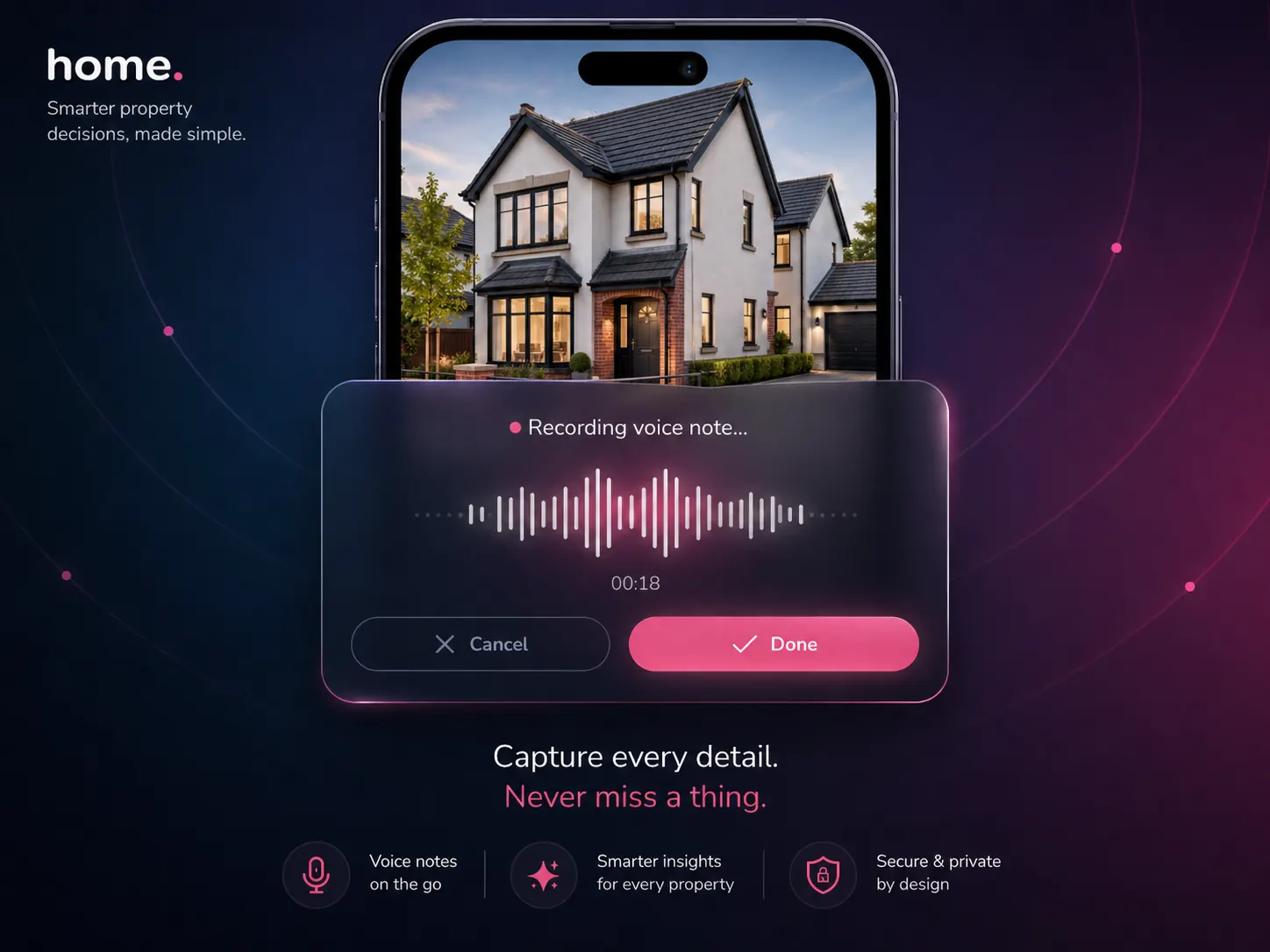
Speak. It lands in the right field.
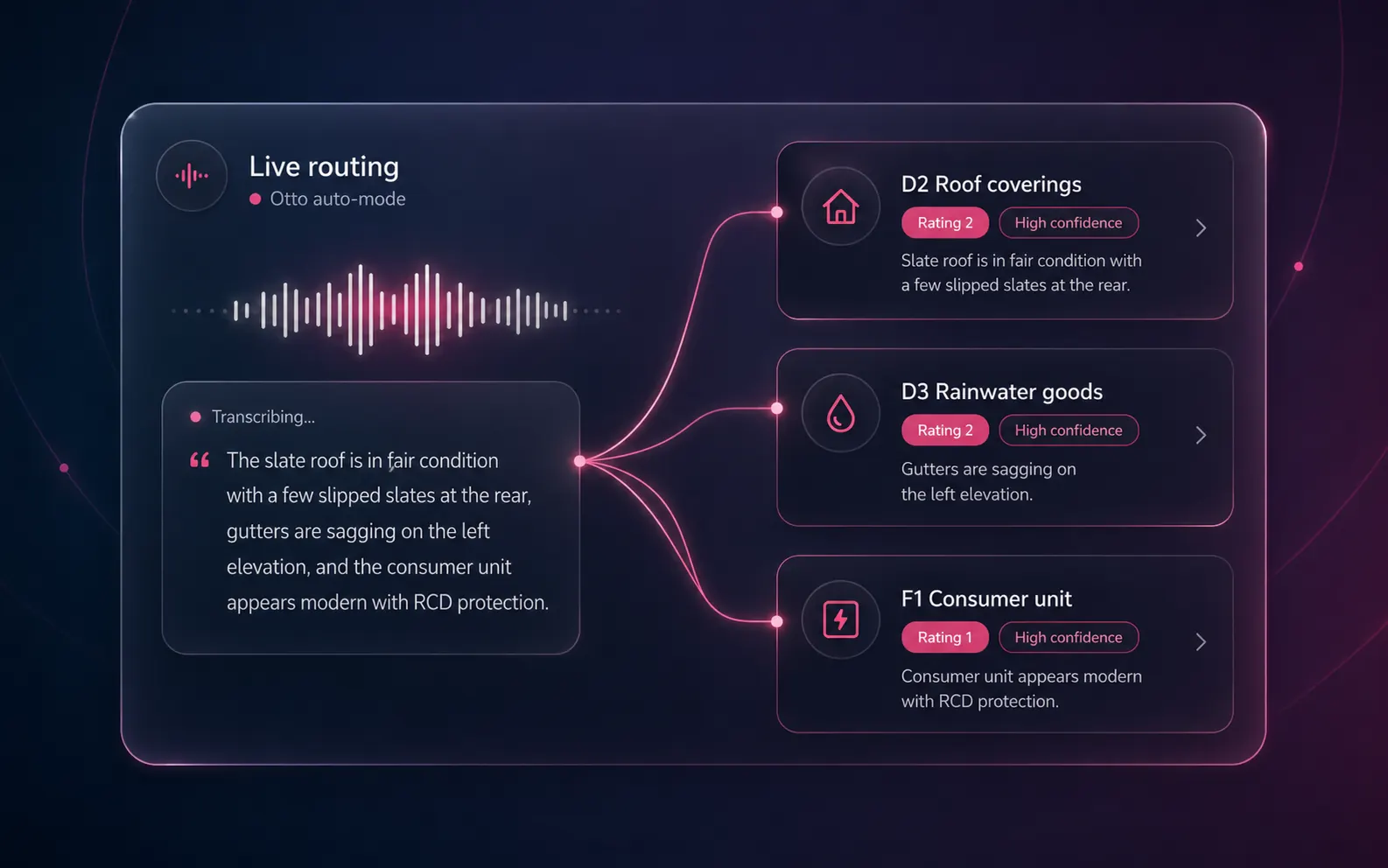
Record audio on-site or paste typed notes. Speech recognition transcribes. Our AI engine routes every sentence to the correct RICS field — D2 Roof Coverings, F1 Consumer Unit, B priority items — and infers a condition rating with a 0–1 confidence score. Replay the audio against any routed field. Reject, edit or move any route. Re-dictate single fields without losing the rest of the report.
From speech to structure
A sentence comes in. A field update goes out.
Each routing decision creates a field update with the field path, the routed text, an inferred condition rating, a 0–1 confidence score and a link back to the original sentence in the transcript. You accept, edit or reject — the AI never silently mutates the report.
- ●Streaming "Reviewing roof structure" / "Reviewing electrical systems" labels from the AI\'s work — semantic progress, not a percentage bar.
- ●Confidence-aware review: high-confidence fields skip review, low-confidence fields get your attention. Saves 20–30 minutes vs. proofreading every line.
- ●Style profile and standard phrases are smartly cached so routing stays consistent with your firm\'s voice.
- ●Multiple dictation sessions can feed the same report; new sessions merge without overwriting earlier data.
Under the hood
The pipeline, step by step
From microphone to structured RICS field — four stages, all server-side.
Record or upload
Speak observations into your phone microphone, or paste typed site notes, or upload an existing audio file. No special app required — any common audio format works.
Speech transcription
The audio is transcribed server-side by speech recognition (language: en). The full text transcript is stored against your dictation session and shown in the panel so you can verify accuracy before routing.
AI routing
In manual mode, the AI maps each sentence to a RICS field path (e.g. D2, F1, B.priorityItems). In Otto auto-mode, our AI engine routes the whole transcript at once — long-document context, validated structured output, smart caching for consistent style.
Review and accept
Each field update shows: the routed field, the expanded text, the inferred condition rating, the confidence score (0–1) and a link back to the audio at that moment. Accept, edit, re-route or delete — the AI never writes to the report without your sign-off.
Engine selection logic
| Mode | Engine | Context / caching |
|---|---|---|
| Manual dictation | Secondary AI engine | Long-document context; style and phrases injected per call |
| Otto auto-mode | Frontier AI engine | Long-document context with smart caching of RICS standards and your firm's style — large cost reduction on repeat calls |
| Auto-mode fallback | Secondary AI engine | Activated by automatic AI fallback if the primary AI is unavailable or the daily ceiling is reached |
What's in the dictation panel
More than a transcript
Replayable audio
Click any routed field → highlights the sentence in the transcript → plays the audio at that moment. Audit trail for QA and any post-completion challenge.
Confidence per field
Every routed field shows a 0–1 confidence score so you focus review on the bottom decile, not every line.
Per-field re-dictation
Misrouted? Re-dictate just that field. The new session replaces the old route for that field only — the rest of the report is untouched.
Hide / unhide sessions
Archive an old dictation session without losing the data; unhide later if you need the audit trail.
Standard phrases injection
Top 10 phrases from your personal, firm and preset libraries are passed to the AI as routing context — the AI uses your firm's language, not generic survey-speak.
Style profile injection
If your firm has trained a style profile, it's smartly cached and applied on every routing run.
Live progress labels
"Reviewing roof structure", "Reviewing electrical systems" stream from the AI's work — you see semantic progress, not a spinner.
Custom rating support
If your firm uses a 5-point scale, the routing prompt rebuilds dynamically and the inferred rating uses your terminology.
Manual override always
Drag any field to a different section, edit content inline, delete the route, change the rating. The AI proposes; you decide.
Voice commands · beyond transcription
Speak the action. Otto runs it.
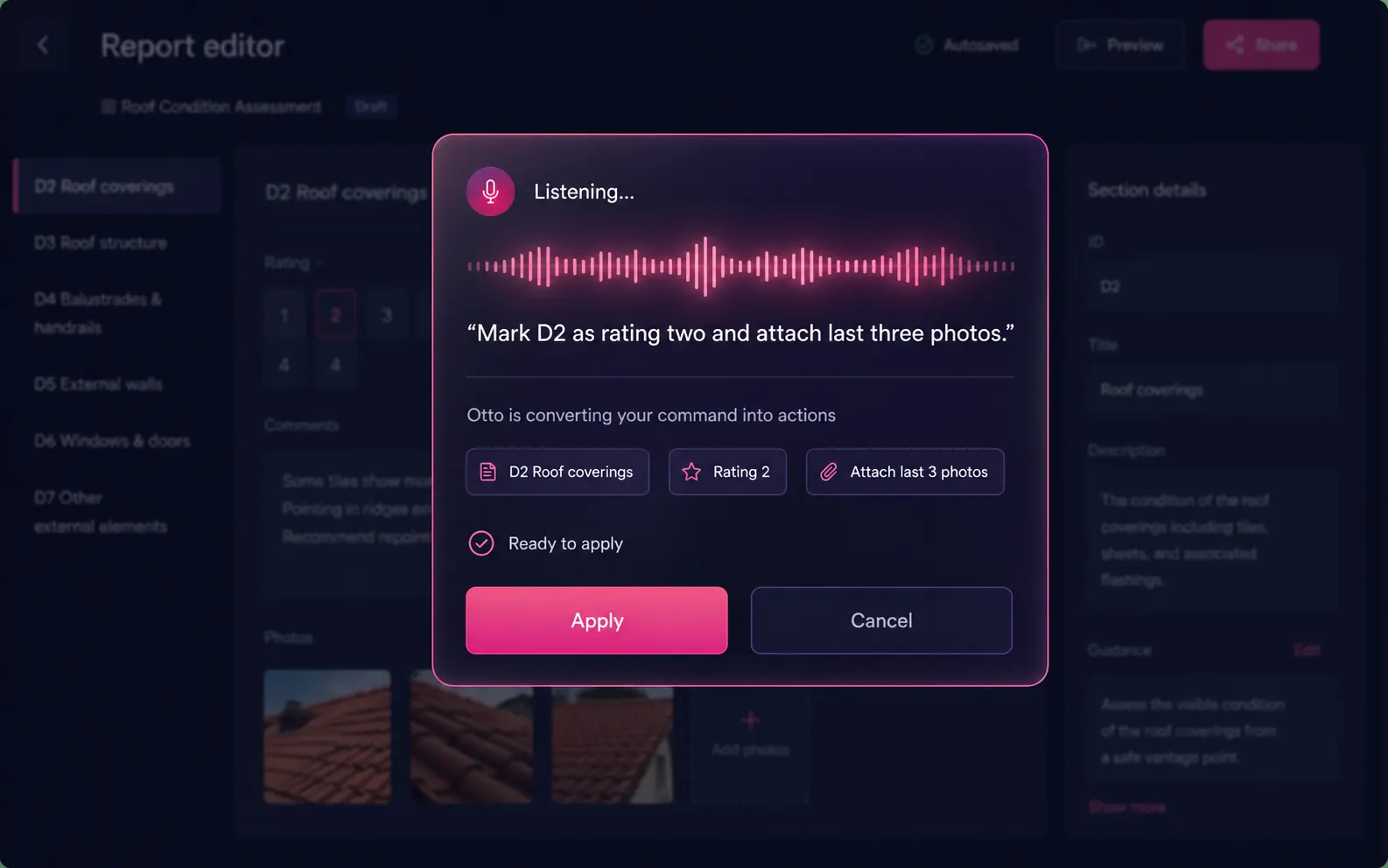
Dictation isn't just for content. Hold the mic in the editor and issue a command — "mark D2 as rating two and attach last three photos" — and Otto parses your sentence into editor actions. Element targeting, rating updates, photo attachment, section navigation. Hands-free editing while you walk back to the car.
- ●Element targeting — "go to F1", "open Section H"
- ●Rating updates — "mark this rating three"
- ●Photo attachment — "attach last three photos to D2"
- ●Always confirms before applying — no surprise edits
Choosing the right mode
Manual dictation vs Otto auto-mode
Both modes share the same routing engine. The difference is scope: manual targets a field; auto-mode targets the whole report.
Manual dictation
- -Routing engine: secondary AI engine with long-document context
- -Use when: supplementing a partly-complete report, re-dictating individual fields, adding site notes after the survey
- -Sessions accumulate; each new session merges into the existing report without overwriting earlier routes
- -Style profile and standard phrases injected per call
- -Best for: partial additions, corrections, top-ups between site visits
Otto auto-mode
- -Routing engine: frontier AI engine with careful deliberation (long-document context)
- -Use when: you have a full on-site transcript and want the entire RICS report populated in one pass
- -Smart caching: RICS instructions and your firm's style are cached so the AI doesn't re-read them on every call — large cost reduction on repeat runs for the same firm
- -Live semantic labels stream from the AI's work: "Reviewing roof structure", "Reviewing electrical systems"
- -Best for: full first-pass report generation from a complete site transcript
Both modes are available free with a verified Home.co.uk surveyor account. Standard phrases from your standard phrases library and your style profile are injected automatically in both modes.
FAQ
Dictation FAQs
How does AI Dictation differ from generic dictation apps?
Generic dictation tools transcribe speech to text and stop there. AI Dictation goes further: speech recognition transcribes, then the routing AI maps every sentence to the correct RICS field (D2 Roof Coverings, F1 Consumer Unit, B priority items), infers a condition rating, attaches a 0–1 confidence score and stores the audio so you can replay it for any field if questioned months later.
Can I dictate on-site without internet?
Record audio offline on your phone, then upload when you're back in coverage. Transcription and routing both run server-side once the audio is uploaded — you don't need to be on-site or online during processing.
Does it support regional accents?
Yes. The underlying speech recognition (language: en) handles a wide range of UK and international English accents reliably. If a word transcribes incorrectly, you can edit the transcript and re-route that sentence, or correct the text directly in the report editor.
Is the audio stored, and can I delete it?
Audio is stored in secure cloud storage against your dictation session and linked to every field route so you can replay it at any time. You can delete a session from the dictation panel if you don't want the audio retained after the report is complete.
What if I dictate something that doesn't map to a RICS field?
The AI flags low-confidence routings rather than silently absorbing unmatched content. You can move the text to a different field, attach it to a general section (B, C), or delete it. Nothing is automatically written to the report without your approval.
Does AI Dictation work standalone, or only inside Otto?
Both. In manual mode you use it directly inside the Level 2 or Level 3 editor to add observations to specific fields one session at a time. In Otto auto-mode the whole transcript is routed at once by our AI engine, populating all report sections in a single pass.
How accurate is the RICS field routing?
Accuracy depends on transcription clarity and how specifically you refer to building elements. Every route has a 0–1 confidence score: high-confidence routes (above ~0.85) typically need no review; low-confidence routes are flagged. Injecting your style profile and standard phrases consistently raises accuracy by giving the AI firm-specific vocabulary to match against.
How does custom condition rating support work?
If your firm uses a scale other than C1/C2/C3 — for example a 1–5 numeric scale or bespoke labels — you configure rating options in firm settings. AI Dictation runs a keyword-generation step that analyses each rating's description and produces synonyms, phrases and context hints, then rebuilds the routing prompt dynamically so the AI infers the correct custom rating from your spoken observations.
More tools
Explore the rest of the surveyor toolkit
Otto
AI auto-mode RICS report writer
Dictate on-site, upload photos, get a finished, fully-routed Level 2 or Level 3 report in minutes.
Level 2 Report Writer
RICS Home Survey Level 2
Field-by-field RICS Level 2 reports with inline AI suggestions, image gallery, comparables and one-click branded PDF.
Level 3 Report Writer
RICS Building Survey Level 3
Comprehensive Level 3 Building Survey reports with deep technical sections, custom rating scales and AI legal-adviser notes.
Surveyor Comparable Tool
Sold + rental comps in one click
Auto-fetch sold and rental comparables within a 1-mile radius, weighted valuation range, branded PDF appendix for any survey.
Snagging Report Builder
New-build defect tracker
Build professional new-build snagging lists with location-based defect tracking, photos, urgency, status and PDF export.
Image AI
Auto-categorise survey photos
Upload up to 200 photos; vision AI tags each to the right RICS element, rates condition, extracts defects and picks the best 35 for the report.
Style Profile
Your firm's writing fingerprint
Teach the AI to write like your firm — upload past reports, the AI extracts a 25-dimension writing fingerprint and applies it to every future auto-mode report.
Property Viewer
Pre-survey property intelligence
Look up any UK property and instantly see EPC, energy renovation costs, broadband coverage, environmental risks (flood, radon, mining, landfill), invasive plants, sales history and listing status — all in one dashboard.
Property Data Drawer
EPC + risks + comps in one panel
Open the property data drawer in any report to see EPC, environmental risks, listing history and comparables — copy-paste ready.
Standard Phrases
Reusable language library
Personal, firm-wide and industry-preset phrase libraries — insert with one click and use to train AI routing for voice consistency.
RICS Standards Check
Home Survey Standard compliance pass
One-click AI compliance pass against the RICS Home Survey Standard — flags missing content, weak ratings and structural gaps before you sign the report.
Free directory listing. Pay-as-you-go toolkit.
Every RICS-regulated surveying firm gets a verified profile, direct bookings from home.co.uk consumers and the surveyor toolkit included with the account. No subscription. No pay-per-lead. No commission on the job. Pay only when you use the premium AI tools.
2 minute setup · Verified against the RICS register · Trusted UK property platform since 1995