
The deep, technical Building Survey writer.
Older, listed, altered or unusual properties demand the depth of a Level 3 Building Survey. Home.co.uk gives you the structure (Sections A–O), the AI assistance (rewrite, standards check, photo AI), the auto-population (Section H legal-adviser notes), and the firm-branded PDF — without forcing your prose into a Word template.
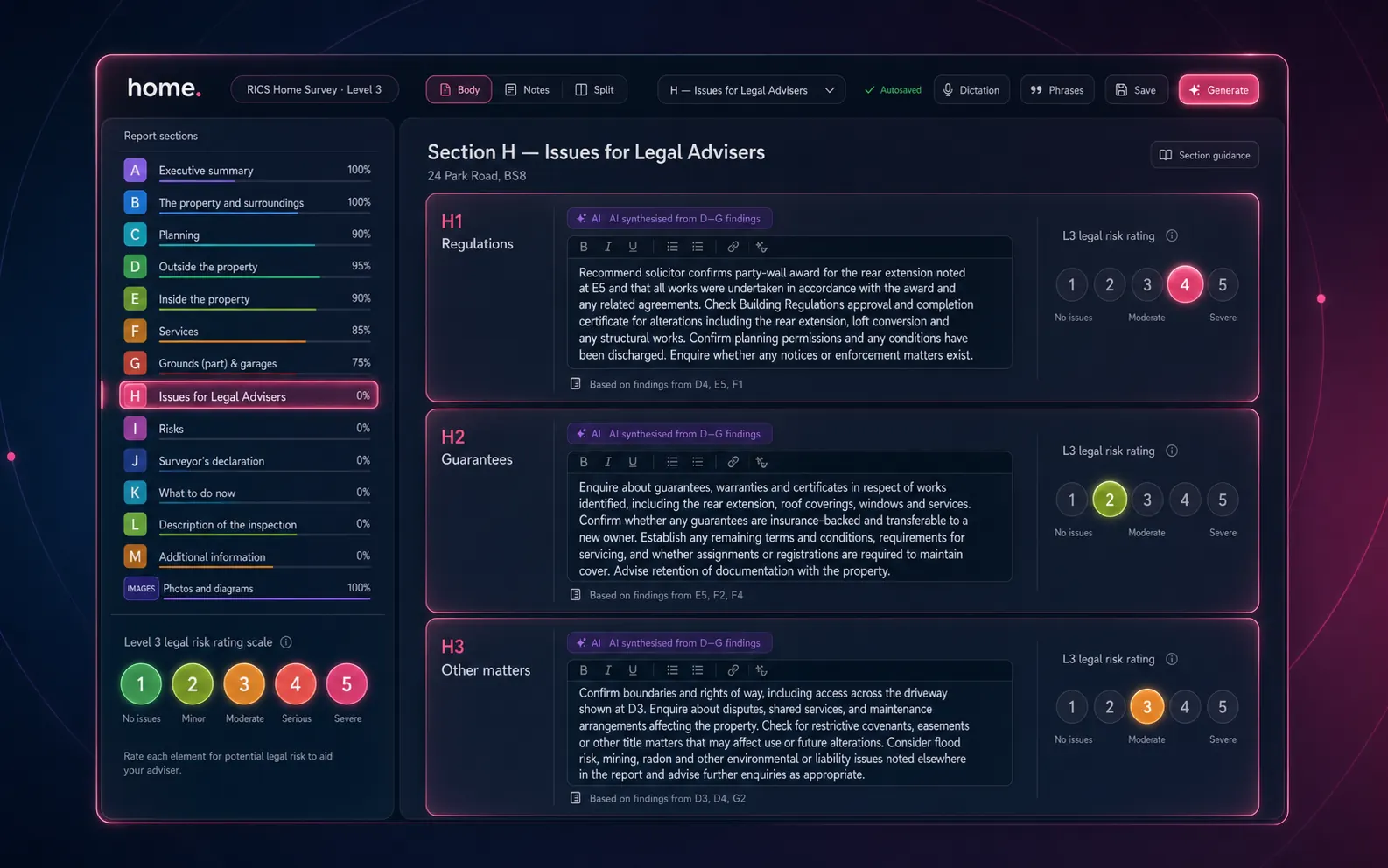
Level 3 vs Level 2
When to reach for Level 3
A Level 3 Building Survey is the right tool for older, altered or unusual properties — and the editor reflects the heavier scope.
| Aspect | Level 2 | Level 3 |
|---|---|---|
| Property profile | Conventional, well-maintained | Older, listed, altered or unusual |
| Element narrative depth | Comments + traffic-light rating | Full technical narrative + rating + repair recommendations |
| Sections | A–J | A–O (additional energy/sustainability/risks/declarations) |
| Custom rating scales | Standard 1/2/3 | Standard or firm-defined (e.g. 5-point) |
| Section H legal-adviser notes | Manual | Auto-populated from D-G findings |
| Typical write-up time (manual) | 2–3 hours | 4–6 hours |
| Typical write-up time (with toolkit) | 15–45 min | 30–75 min |
Custom rating scales
Your firm's rating language.
Some firms use a 5-point scale ("Good · Fair · Maintenance · Repair · Urgent") instead of the RICS 1/2/3. Define your scale in firm settings and the editor — including AI prompts and dropdowns — rebuilds dynamically. Custom rating definitions are snapshotted per report at creation, so changing the scale later doesn't retroactively rewrite older reports.
- ● Per-firm rating definitions stored against your account
- ● Snapshot taken at report creation — historic reports unchanged on later updates
- ● AI prompts auto-rebuild with your scale terminology
- ● Otto auto-mode honours your custom ratings during routing
Section H · Issues for legal advisers
The cross-reference nobody loves writing.
Synthesised by the AI from your D-G condition findings — so the legal-adviser notes consistently reflect the body of the report.
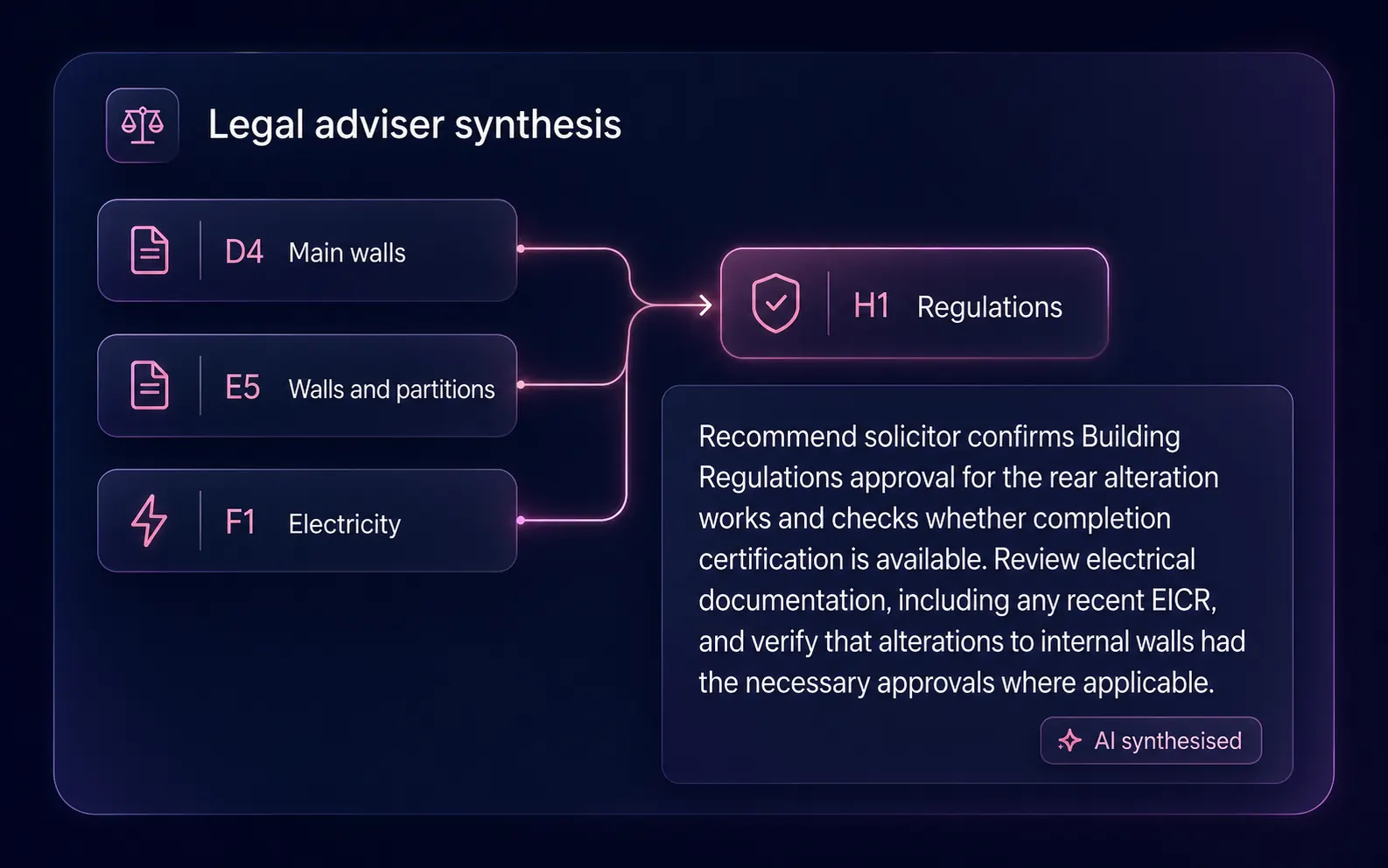
Building regs & planning
Synthesised from D-G evidence of unauthorised work, building-regs concerns, party-wall implications, conservation-area constraints.
Warranties & certificates
Synthesised from D-G evidence of damp-proof course, timber treatment, electrical works, gas safety, NHBC/structural warranties.
Boundaries, easements, services
Synthesised from D-G evidence of shared drainage, retaining-wall ownership, rights-of-way, drainage-easement implications.
In the editor
Suggest. Track. Ship.
The same editor scaffolding as Level 2 — with the depth a Building Survey needs.
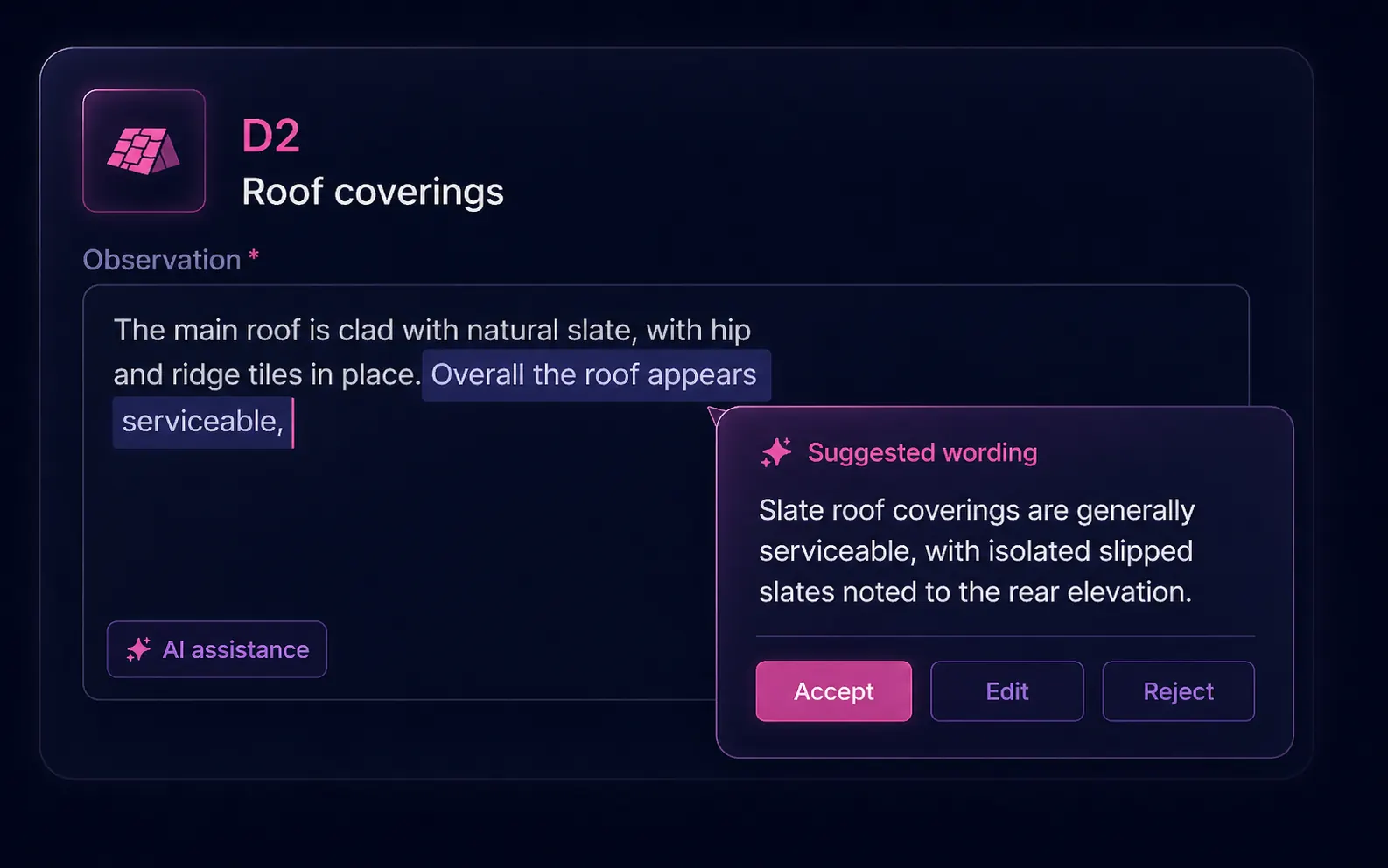
Inline AI suggestions
Highlight a fragment, get a polished alternative right next to your cursor. Accept, edit or reject — the AI never silently mutates your prose.
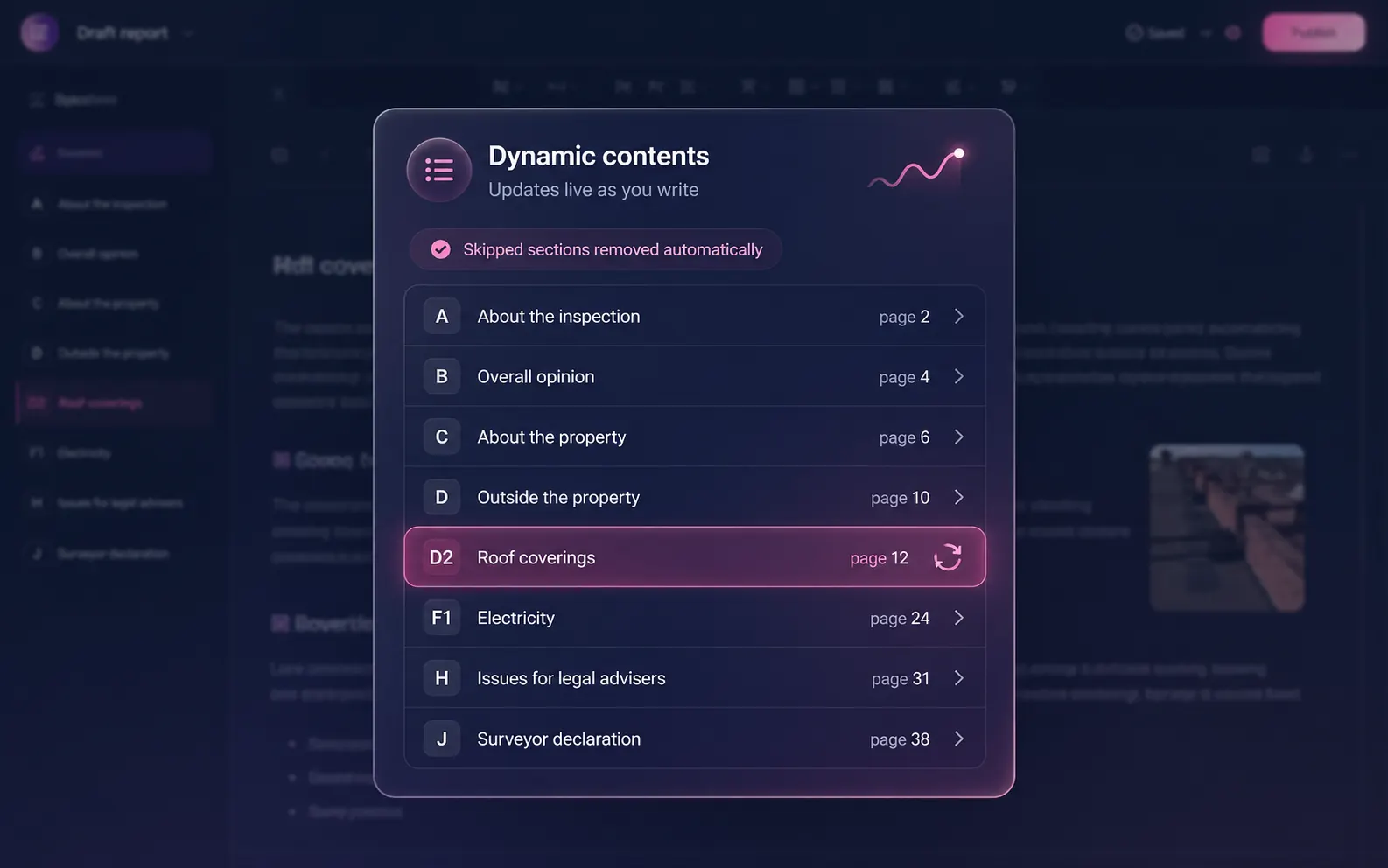
Dynamic table of contents
Page numbers regenerate as you write. Skipped sections drop out automatically — no orphan entries pointing nowhere.
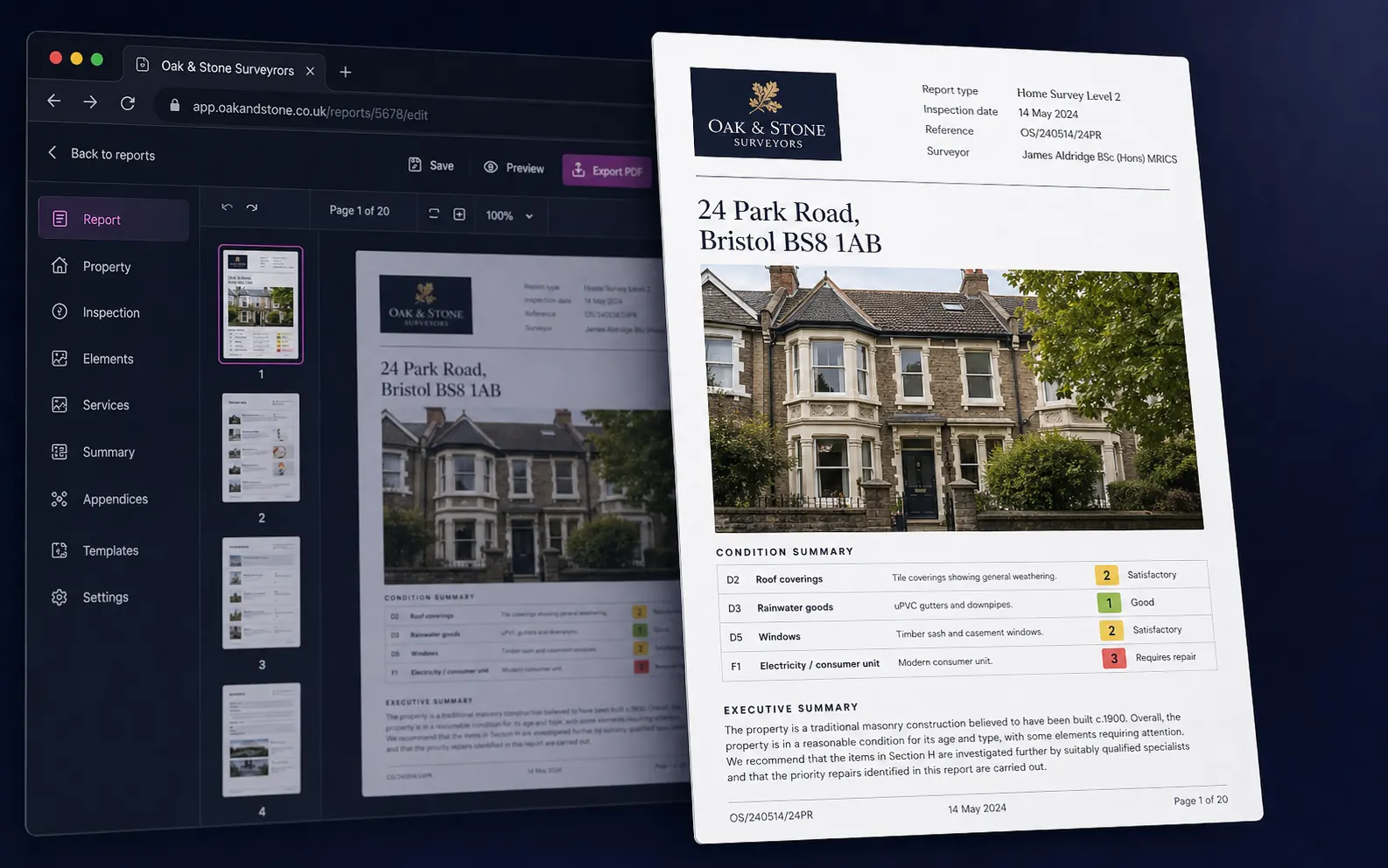
Branded PDF in one click
Cover page, table of contents, condition summary, photo appendix and page numbers — your firm's logo on every page. Share via secure token-based link or download.
All sections
A through O. The full Building Survey.
Inspection details + inspector
Overall opinion + priority items
About the property — construction, services, environment
External (D1–D9): chimneys, roof, walls, windows, doors, conservatories
Internal (E1–E9): roof structure, ceilings, walls, floors, fittings, woodwork
Services (F1–F7): electricity, gas, water, heating, drainage
Grounds (G1–G3): garage, outbuildings, grounds
Issues for legal advisers (auto-populated)
Risks & further investigations
Energy / sustainability
Surveyor recommendations
Surveyor declaration & sign-off
Insurance reinstatement cost (where included)
Description of the report & standard terms
Appendices: comparables, photos
FAQ
Common questions
What is a RICS Level 3 Building Survey?
The RICS Home Survey Level 3 — commonly called a Building Survey — is the most thorough RICS survey: a full structural narrative on the property's construction, materials and condition, with technical recommendations, repair priorities and an in-depth legal-adviser briefing. It's aimed at older, listed, altered, larger or unusual properties where a Level 2 isn't enough.
What is Section H, and why is it auto-populated?
Section H is the Issues for Legal Advisers section: H1 Regulations, H2 Guarantees, H3 Other matters. The auto-populator examines all D-G condition findings and synthesises legal-adviser notes (e.g. "Recommend solicitor confirm party-wall award for the rear extension noted at E5") — saving roughly 20–30 minutes of manual cross-referencing while keeping the body of the report and the legal-adviser brief consistent.
Can I run a Level 3 in Otto auto-mode?
Yes. Otto supports both Level 2 and Level 3. For Level 3, Otto additionally fires the Section H auto-populator and respects custom rating scales.
How are comparables used in Level 3?
Where market context is required, the comparable sales appendix shows sold and rental comps within a 1-mile radius and a weighted valuation range — typically referenced in the surveyor recommendations section.
Where is my report data stored?
Reports are stored in the Home.co.uk surveyors database under your firm. You can export PDF or HTML at any time, archive completed reports, and revoke share-link access. Audio dictations are held in secure cloud storage against your dictation sessions.
More tools
Explore the rest of the surveyor toolkit
Otto
AI auto-mode RICS report writer
Dictate on-site, upload photos, get a finished, fully-routed Level 2 or Level 3 report in minutes.
Level 2 Report Writer
RICS Home Survey Level 2
Field-by-field RICS Level 2 reports with inline AI suggestions, image gallery, comparables and one-click branded PDF.
Surveyor Comparable Tool
Sold + rental comps in one click
Auto-fetch sold and rental comparables within a 1-mile radius, weighted valuation range, branded PDF appendix for any survey.
Snagging Report Builder
New-build defect tracker
Build professional new-build snagging lists with location-based defect tracking, photos, urgency, status and PDF export.
AI Dictation
Voice-to-fields routing
Speak observations on-site; AI routes every sentence to the correct RICS field with confidence scores and replayable audio.
Image AI
Auto-categorise survey photos
Upload up to 200 photos; vision AI tags each to the right RICS element, rates condition, extracts defects and picks the best 35 for the report.
Style Profile
Your firm's writing fingerprint
Teach the AI to write like your firm — upload past reports, the AI extracts a 25-dimension writing fingerprint and applies it to every future auto-mode report.
Property Viewer
Pre-survey property intelligence
Look up any UK property and instantly see EPC, energy renovation costs, broadband coverage, environmental risks (flood, radon, mining, landfill), invasive plants, sales history and listing status — all in one dashboard.
Property Data Drawer
EPC + risks + comps in one panel
Open the property data drawer in any report to see EPC, environmental risks, listing history and comparables — copy-paste ready.
Standard Phrases
Reusable language library
Personal, firm-wide and industry-preset phrase libraries — insert with one click and use to train AI routing for voice consistency.
RICS Standards Check
Home Survey Standard compliance pass
One-click AI compliance pass against the RICS Home Survey Standard — flags missing content, weak ratings and structural gaps before you sign the report.
Free directory listing. Pay-as-you-go toolkit.
Every RICS-regulated surveying firm gets a verified profile, direct bookings from home.co.uk consumers and the surveyor toolkit included with the account. No subscription. No pay-per-lead. No commission on the job. Pay only when you use the premium AI tools.
2 minute setup · Verified against the RICS register · Trusted UK property platform since 1995