
Upload 200 photos. Categorised in 3 minutes.
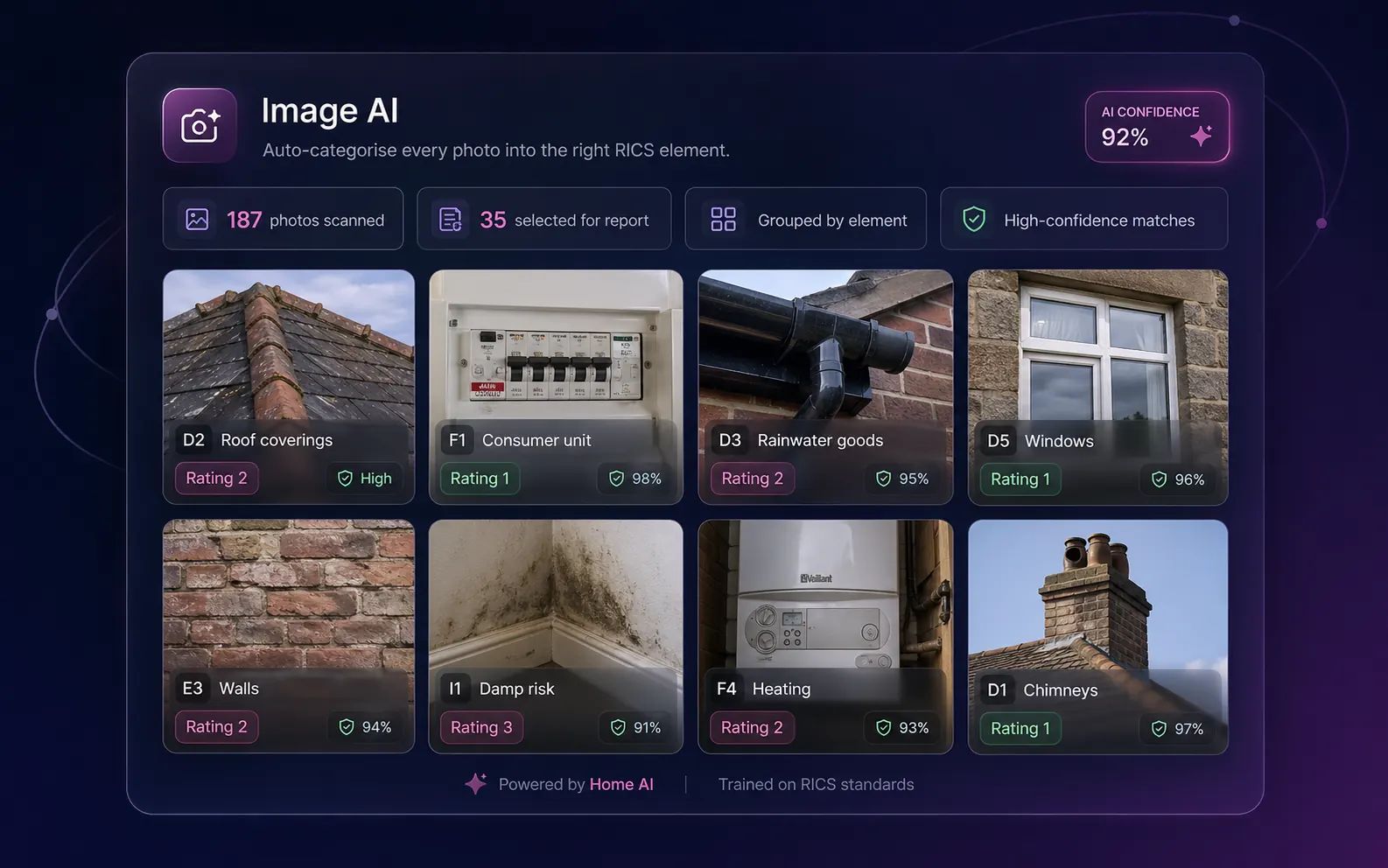
Drop your inspection photos into the report. The vision AI tags every image to the right RICS element, assigns a condition rating, extracts a defect list with urgency, generates a professional caption, and excludes accidental shots and furniture-only photos. A scoring algorithm then picks the best ~35 for your report — defect-prioritised, with guaranteed section coverage.
The pipeline
Upload → categorise → score → select.
Four stages, all server-side. The AI does the heavy work in parallel; the surveyor signs off the result.
Upload
HEIC, JPEG, PNG, TIFF supported. HEIC auto-converted to JPEG. All photos go into secure cloud storage and image records are created pending classification. Up to 200 photos per report; the pipeline scales linearly above that.
Categorise
The vision AI processes photos in parallel batches. For every image: section code (D, E, F, G, I), element code (D2, F1 etc.), condition rating (1/2/3 or your firm's custom scale), professional caption, defect list with urgency tags, survey-relevance flag, orientation flag.
Validate
Each AI response is validated against the RICS element catalogue (D1–D9, E1–E9, F1–F7, G1–G3, I1–I4). Out-of-range codes are nullified rather than dropped. Upside-down or 90° rotated images are flagged for correction. Furniture-only and accidental shots are flagged for exclusion.
Select top 35
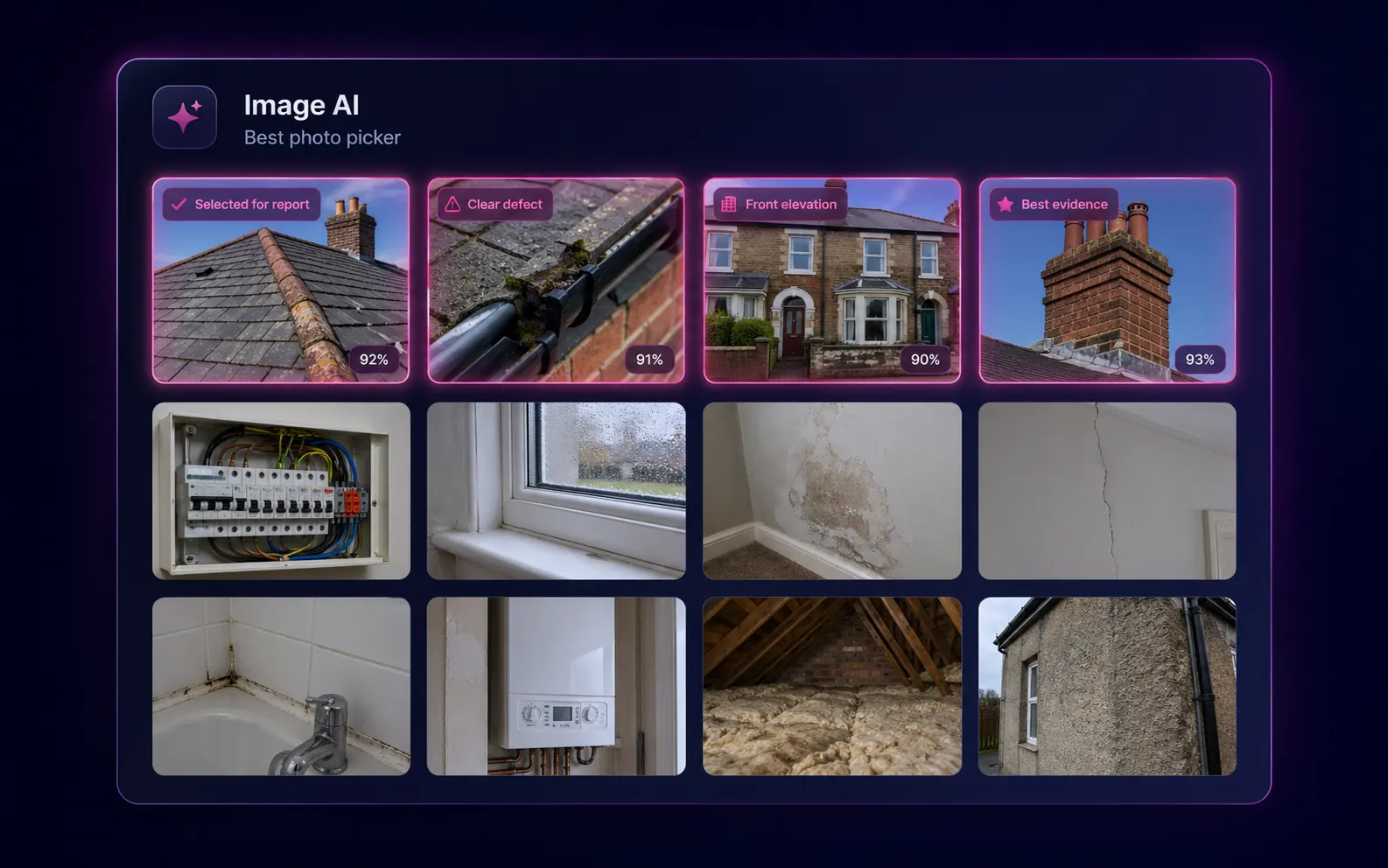
A multi-phase scoring algorithm picks the best images for the report. Phase 1: pick the top-scoring image from each populated section (no empty sections). Phase 2: fill remaining slots from highest scoring across all photos. Phase 3: defect boost — sections containing rating-3 elements get at least two photos so problem areas get the space they deserve.
Surveyor in the loop
Drag, drop, double-check. You sign off.
The AI is fast and accurate, not infallible. Two affordances make sure the report you ship is the report you meant to ship.
Drag-and-drop reassignment
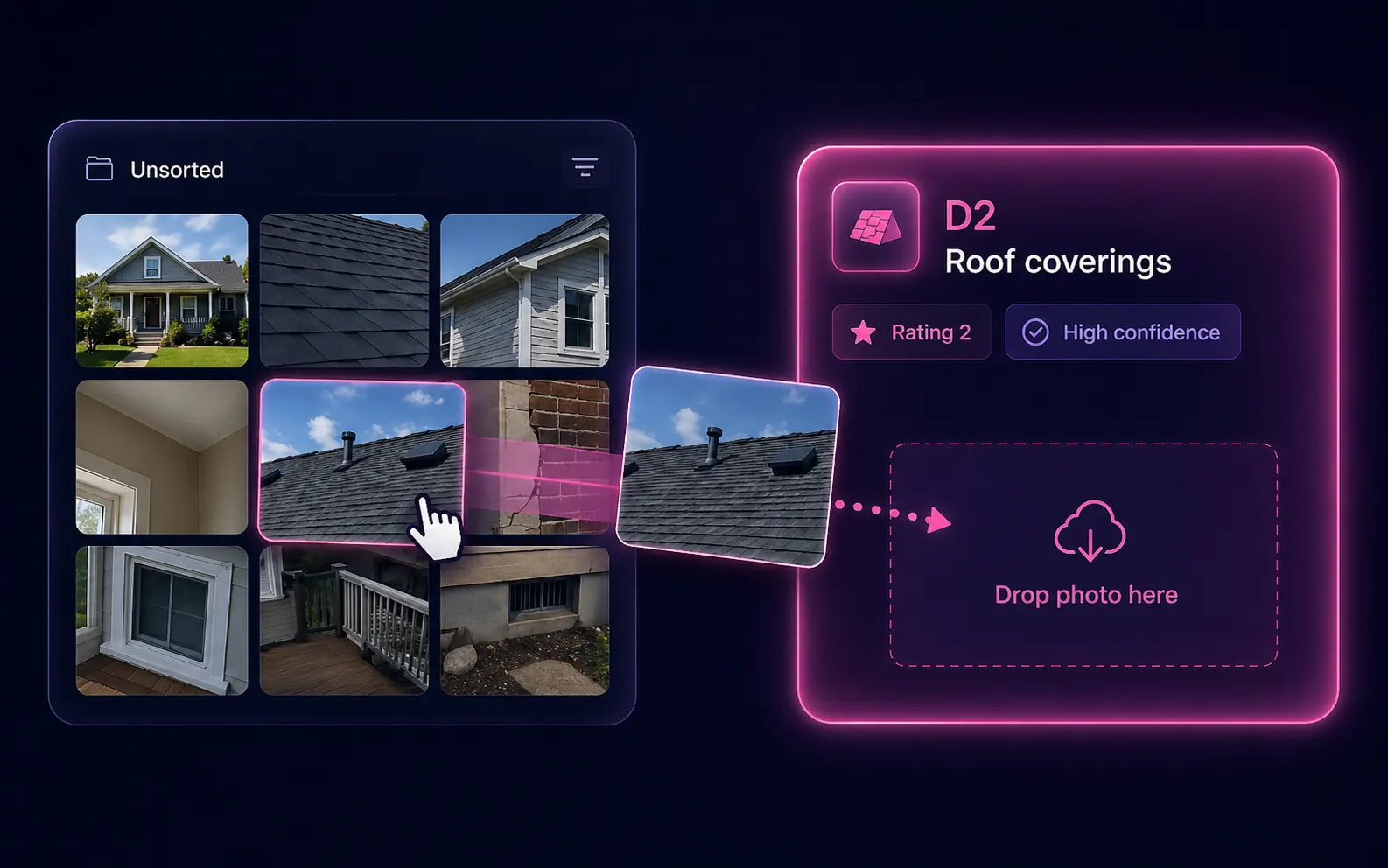
Drag any photo to a different element. Bulk-reassign with section dropdowns. Mark front elevation. Toggle inclusion via the eye icon. The AI suggests; the surveyor signs off — every override survives a re-run.

Missing-evidence checks
If you've rated an element 2 or 3 but haven't attached a photo, the editor flags it before you sign off. One-tap "Attach photo" jumps you to the gallery filtered to that element. No more rated-but-unphotographed defects slipping through.
What it does that other AI vision doesn't
Vision AI trained for surveys.
Multi-tier semantic matching
Quick regex on 80+ unambiguous terms ("chimney" → D1, "boiler" → F4). Compound phrase matching ("external wall", "consumer unit", "fuse board"). Weighted scoring on element name, description, location, material and defect patterns when the simple matches don't resolve.
Surveyor-context awareness
The vision AI receives your typed findings from D-G as routing context, so it won't flag contradictions. If you've rated an E5 element 1=Good, the photo AI won't propose 3=Serious Defects from a single ambiguous photo.
Defect extraction with urgency
For each photo: a list of specific defects ("cracked mortar at corner joint", "moss growth on east-facing tile"), each tagged immediate / short-term / routine. Defect lists feed Section B priority items automatically in Otto auto-mode.
Per-image confidence
Every assignment carries a 0–1 confidence score. The image gallery shows confidence inline so you focus review on the photos the AI was unsure about — typically ~10% of the upload.
Orientation detection
Flags upside-down or 90° rotated photos so you can correct before they reach the report. Common with quick phone shots taken at chimney level or under stairs.
Batch processing
Photos are processed in parallel batches by the vision AI. ~2–3 minutes for a 200-photo report; manual categorisation usually takes 30–40 minutes per surveyor.
Configurable selection target
Default is top 35 selected for the report. Slider lets you set 25–50 depending on report depth and client preference. Re-run selection at any time without re-categorising the underlying photos.
Section-coverage guarantee
The scoring algorithm refuses to leave a populated section without at least one photo. Even an element with no defects gets a representative shot in the appendix so the report stays balanced.
Defect-priority boost
Sections containing a rating-3 (Serious Defects) element get at least two photos. Problem areas get more visual space than pristine ones — the report tells the right story.
Full surveyor override
Drag images between sections, mark front elevation, bulk reassign with section dropdowns, eye-toggle inclusion. The AI suggests; you sign off. Every override is preserved through re-runs.
Survey-relevance filter
Furniture-only, accidental shots and irrelevant photos are flagged for exclusion so they don't pollute the report PDF. You can override the exclusion if a "furniture" shot is actually a damp-stain photo.
HEIC auto-conversion
iPhone HEIC photos auto-convert server-side. No need to fiddle with format settings on the phone before the inspection.
The time saving
Where the minutes come from.
| Task (200 photos) | Image AI | Manual |
|---|---|---|
| Tag every photo to a RICS element | 2–3 min | 30–40 min |
| Assign a condition rating per photo | In-pass | 15–25 min |
| Write a caption per photo | In-pass | 25–35 min |
| Extract a defect list per photo | In-pass | Skipped (rarely done) |
| Pick the best 35 for the report | ~30 sec | 10–15 min |
| Filter out accidental shots | Automatic | Often forgotten |
| Total photo-prep per report | ~3 min | 80–120 min |
FAQ
Image AI FAQs
What does Image AI use?
A vision AI processes photos in parallel batches, achieving ~2–3 minutes for a 200-photo report. Each image returns a section code, element code, condition rating, professional caption, defect list with urgency and a survey-relevance flag.
What if the AI mis-categorises a photo?
Every assignment is overridable. Drag photos between sections, mark front elevation, bulk-reassign with section dropdowns, toggle inclusion via the eye icon. The photo AI suggests; the surveyor signs off.
Is there a photo limit?
Practical limit ~200 per report. The pipeline handles 200 in ~2–3 minutes thanks to parallel batches. More than 200 will work but the categorisation step takes longer linearly.
Can I keep manual assignments through a re-run?
Yes. Re-running image selection respects manual assignments — surveyor-confirmed photos are preserved. The score recalculates around them.
Will the AI invent defects in photos?
The defect list is per-photo and based on what the AI sees in that single image. Vision models tend to under-call defects rather than over-call, but you should still review the defect list — especially for photos where the AI assigned a rating of 3 (Serious Defects).
Does it work with HEIC photos?
Yes. iPhone HEIC photos are auto-converted to JPEG server-side before categorisation. No need to change phone settings before the inspection.
How does it handle furniture and accidental shots?
A survey-relevance flag is set on each photo. Furniture-only shots, ceiling/floor accidental shots and unrelated images are excluded from the selection by default. You can override the exclusion if an apparent "furniture" shot is actually a damp-stain photo.
Can I reuse photos across reports?
Photos are scoped to a single report. Re-using inspection photos across reports for the same property is supported via the property-data drawer; the categorisation re-runs against the new report's context.
More tools
Explore the rest of the surveyor toolkit
Otto
AI auto-mode RICS report writer
Dictate on-site, upload photos, get a finished, fully-routed Level 2 or Level 3 report in minutes.
Level 2 Report Writer
RICS Home Survey Level 2
Field-by-field RICS Level 2 reports with inline AI suggestions, image gallery, comparables and one-click branded PDF.
Level 3 Report Writer
RICS Building Survey Level 3
Comprehensive Level 3 Building Survey reports with deep technical sections, custom rating scales and AI legal-adviser notes.
Surveyor Comparable Tool
Sold + rental comps in one click
Auto-fetch sold and rental comparables within a 1-mile radius, weighted valuation range, branded PDF appendix for any survey.
Snagging Report Builder
New-build defect tracker
Build professional new-build snagging lists with location-based defect tracking, photos, urgency, status and PDF export.
AI Dictation
Voice-to-fields routing
Speak observations on-site; AI routes every sentence to the correct RICS field with confidence scores and replayable audio.
Style Profile
Your firm's writing fingerprint
Teach the AI to write like your firm — upload past reports, the AI extracts a 25-dimension writing fingerprint and applies it to every future auto-mode report.
Property Viewer
Pre-survey property intelligence
Look up any UK property and instantly see EPC, energy renovation costs, broadband coverage, environmental risks (flood, radon, mining, landfill), invasive plants, sales history and listing status — all in one dashboard.
Property Data Drawer
EPC + risks + comps in one panel
Open the property data drawer in any report to see EPC, environmental risks, listing history and comparables — copy-paste ready.
Standard Phrases
Reusable language library
Personal, firm-wide and industry-preset phrase libraries — insert with one click and use to train AI routing for voice consistency.
RICS Standards Check
Home Survey Standard compliance pass
One-click AI compliance pass against the RICS Home Survey Standard — flags missing content, weak ratings and structural gaps before you sign the report.
Free directory listing. Pay-as-you-go toolkit.
Every RICS-regulated surveying firm gets a verified profile, direct bookings from home.co.uk consumers and the surveyor toolkit included with the account. No subscription. No pay-per-lead. No commission on the job. Pay only when you use the premium AI tools.
2 minute setup · Verified against the RICS register · Trusted UK property platform since 1995