
Meet Otto.
Your auto-mode
RICS report writer.
Walk through the property dictating into your phone. Snap photos as you go. Otto transcribes, routes every sentence to the correct RICS field, auto-categorises every photo and synthesises Sections B and C — handing you a finished, fully editable Level 2 or Level 3 report in 5–15 minutes.
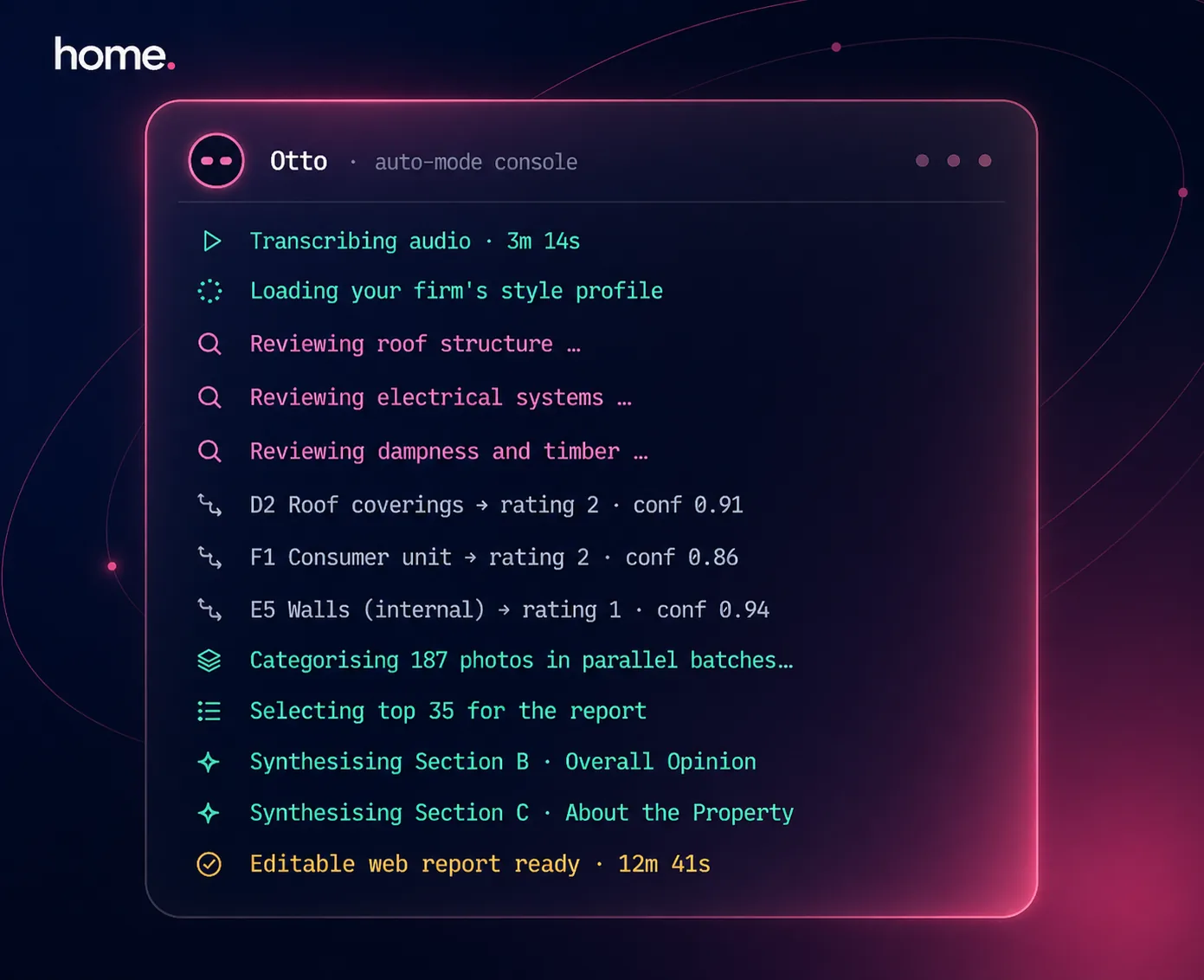
How Otto works
Six steps from field walk to PDF.
Otto is not a single AI prompt. It's a multi-stage pipeline of services, jobs and AI calls that work in parallel where possible — so you get a report in minutes, not hours.
Address & UPRN resolution
You enter the property address. Otto resolves it to a UPRN against Land Registry and our property database, and looks up the property record (bedrooms, age, walls, roof, heating, floors). A blank report is created with the right RICS section template (Level 2 or Level 3) and your firm's custom rating definitions are snapshotted so routing stays consistent if the firm later changes its rating scale.
Audio → transcript (speech recognition)
You upload an audio file (MP3, WAV, M4A) — typically a single recording from your inspection — or paste a typed transcript. Speech recognition transcribes it and Otto caches the result so re-runs are instant. No need to dictate in a particular order or stop between sections.
Sentence-level routing (our AI engine)
Otto's routing step reads each sentence with careful deliberation and decides which RICS field it belongs to: D2 Roof Coverings? F1 Consumer Unit? B.priorityItems? It also infers a condition rating (1=Good, 2=Maintenance, 3=Serious Defects, or your firm's custom scale) and assigns a 0–1 confidence score. Smart caching of RICS standards, your style profile and standard phrases keeps cost and latency down. Live progress labels like "Reviewing electrical systems" stream from the AI's work so you watch the work happen, not a spinner.
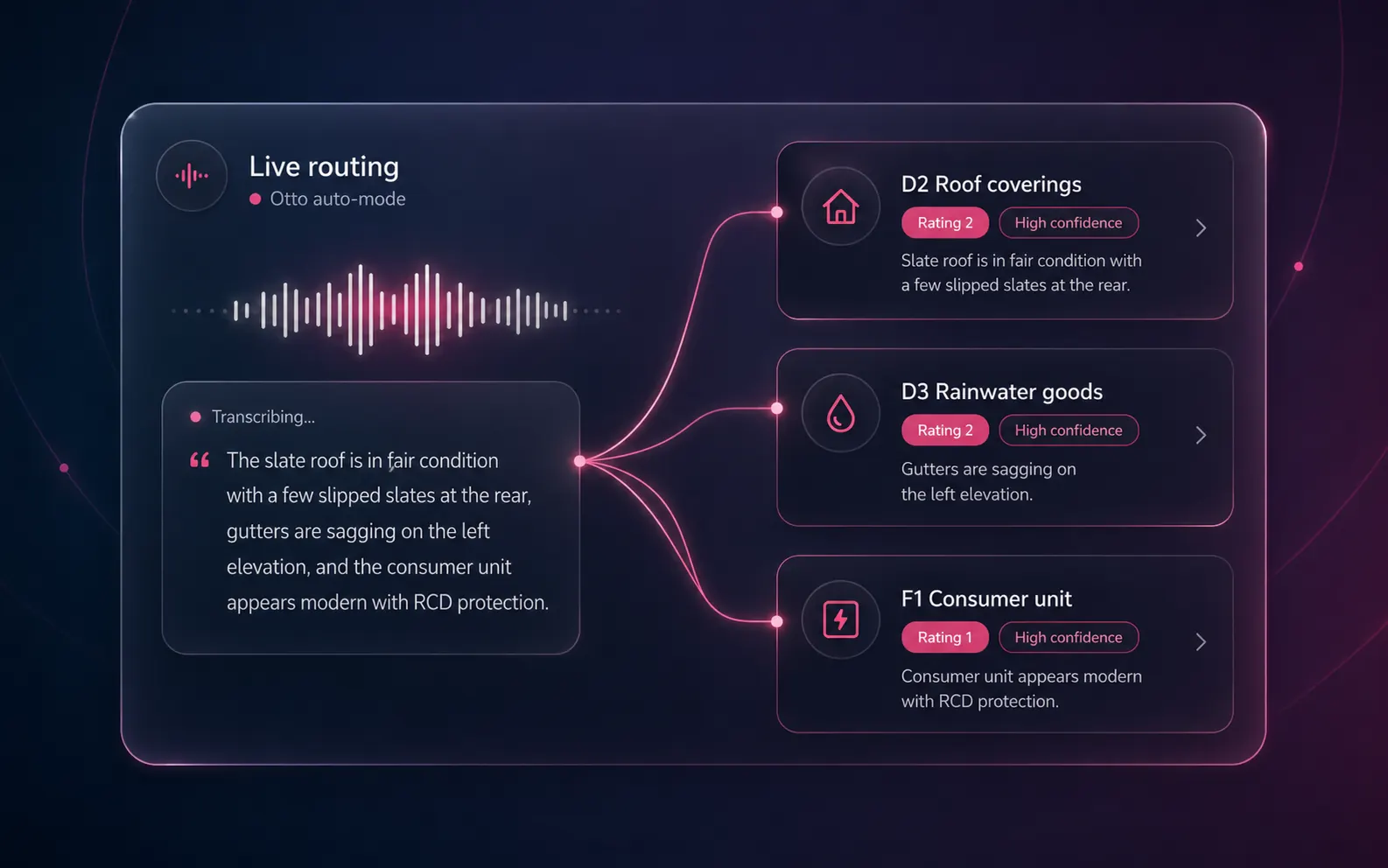
Image auto-categorisation (vision AI)
In parallel, Otto ships your photos to the vision AI in parallel batches. Each photo gets an element code (D1–D9, E1–E9, F1–F7, G1–G3), a condition rating, a professional caption, an extracted defect list with urgency and a survey-relevance flag (so accidental shots and furniture don't pollute the report). HEIC photos are auto-converted, orientation is detected and the algorithm scores all images then picks the best ~35 with guaranteed section coverage and a defect boost — so problem areas get more space than pristine ones.
Section B / C / H / I auto-population (parallel)
Once D-G is populated, Otto dispatches Section B (Overall Opinion + priority items), Section C (About the Property — synthesised from EPC, UPRN, environmental risks and image summaries), Section H (Issues for Legal Advisers, Level 3 only) and Section I (Energy / Sustainability) all in parallel. Each output is validated, confidence-scored, and merged carefully so any manual content you've already typed is preserved.
Editable web report & branded PDF
The output is an editable web report you can rewrite in-place, or a branded PDF with your firm's logo, table of contents and page numbers. AI rewrite, RICS standards check, drag-and-drop image reassignment and a full undo/redo history are all available in the editor. Share the finished report with the consumer via a secure token-based link.
From the front gate to the finished report
Dictate. Drive home. Pop the kettle on.
Otto runs while you do. Three steps from inspection to a fully-routed RICS report — without sitting at a desk.
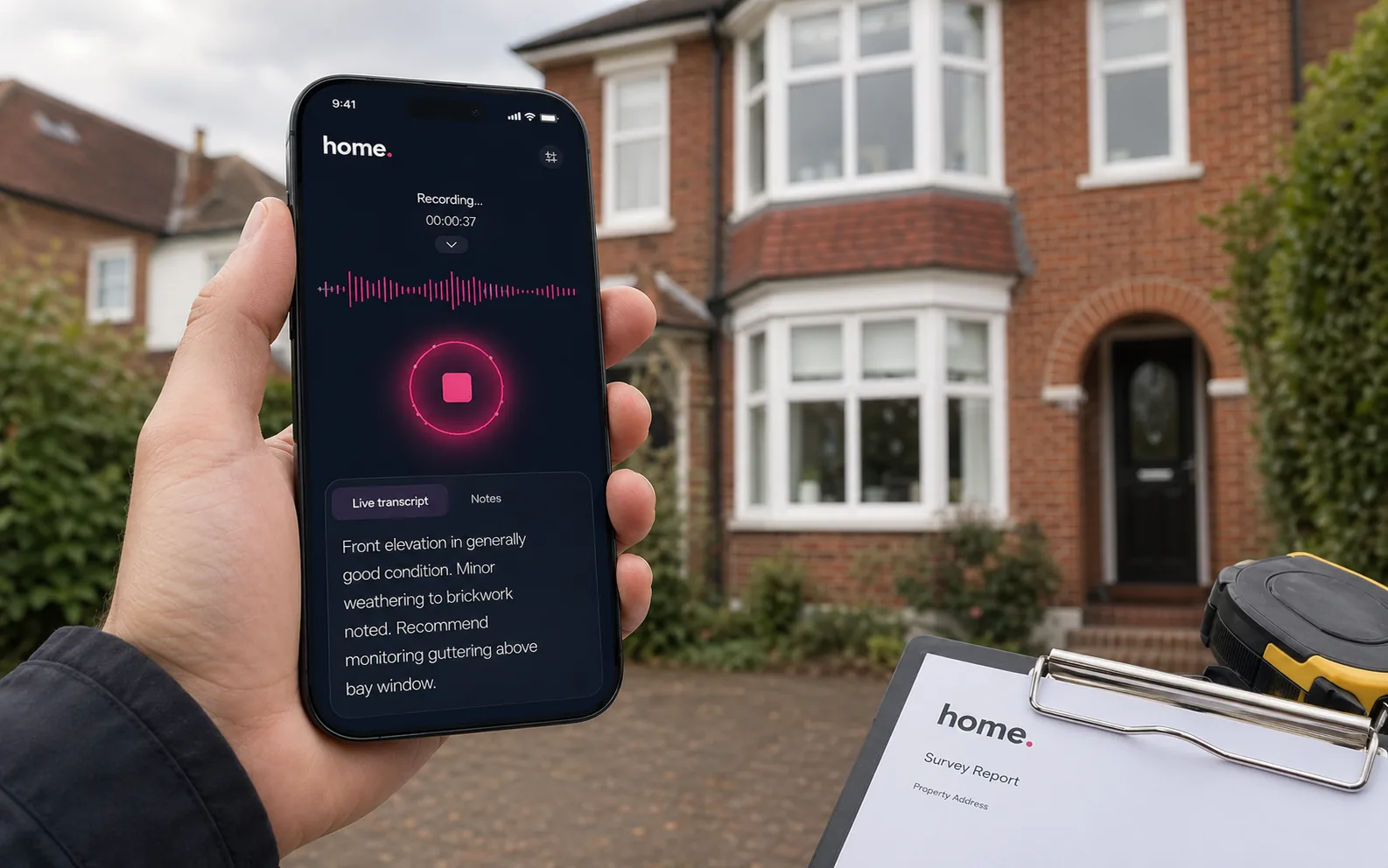
1 · On site
Dictate as you walk
Open the phone, hit record, talk through what you see. Snap photos as you go. No app, no sync, no clipboard.
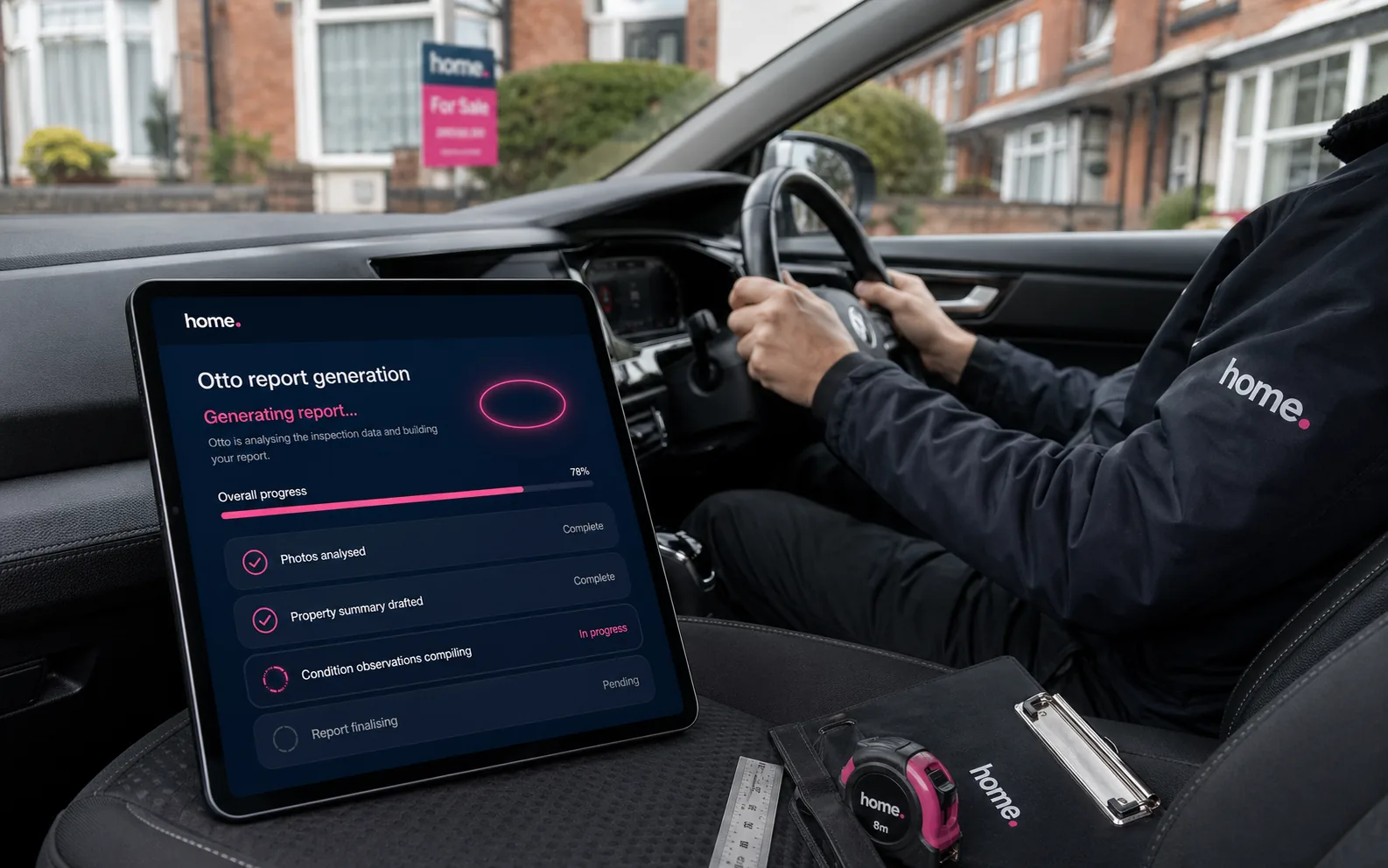
2 · On the way home
Hit Generate from the drive
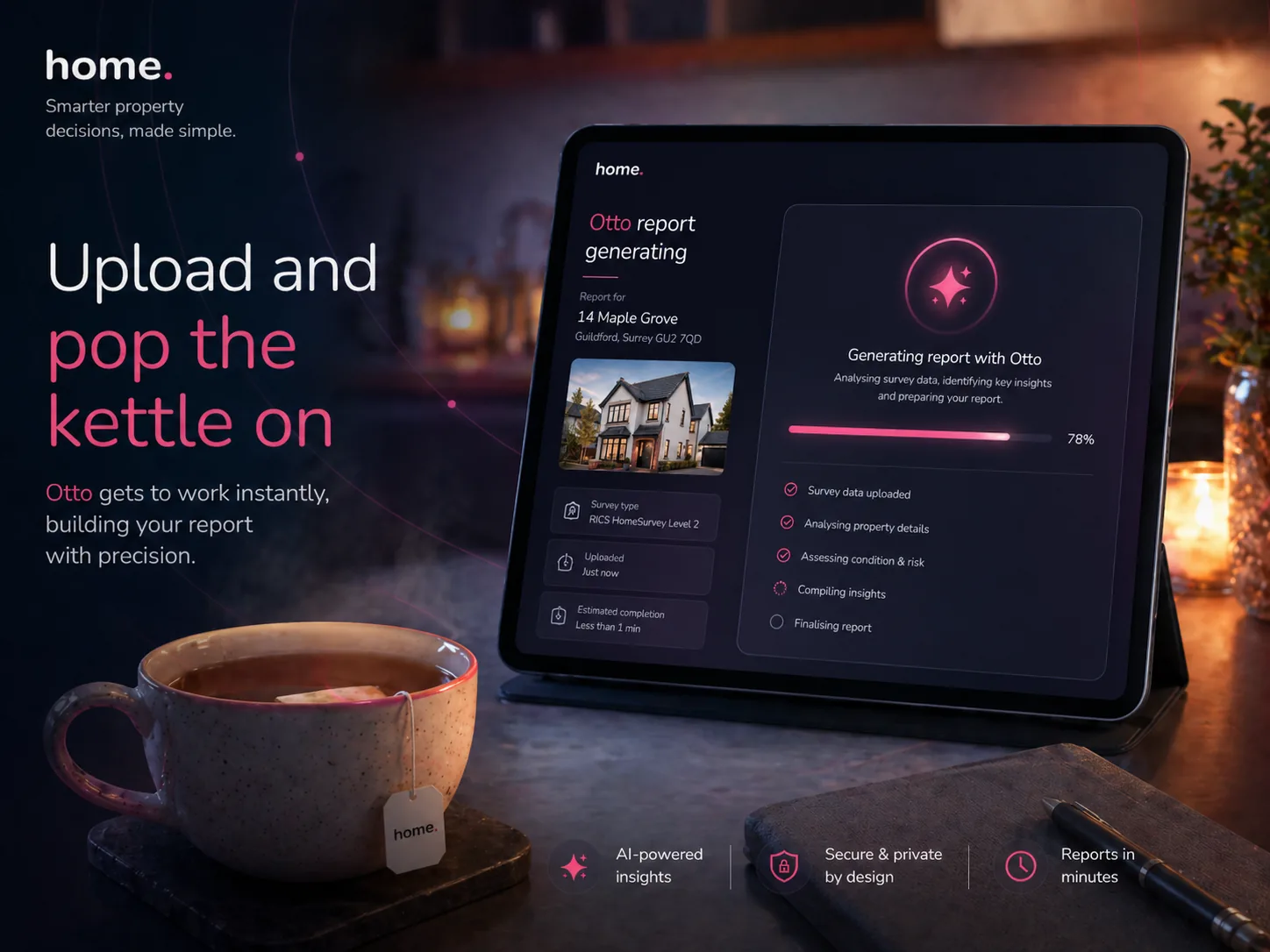
Otto starts the moment you upload — transcribing, routing, categorising photos and synthesising Sections B and C in parallel.
3 · Back at the office
Open it with your tea
5–15 minutes for a Level 2, 15–30 minutes for a Level 3. Editable web report waiting. One click to a branded PDF.
Trust by design
Every suggestion is explained.
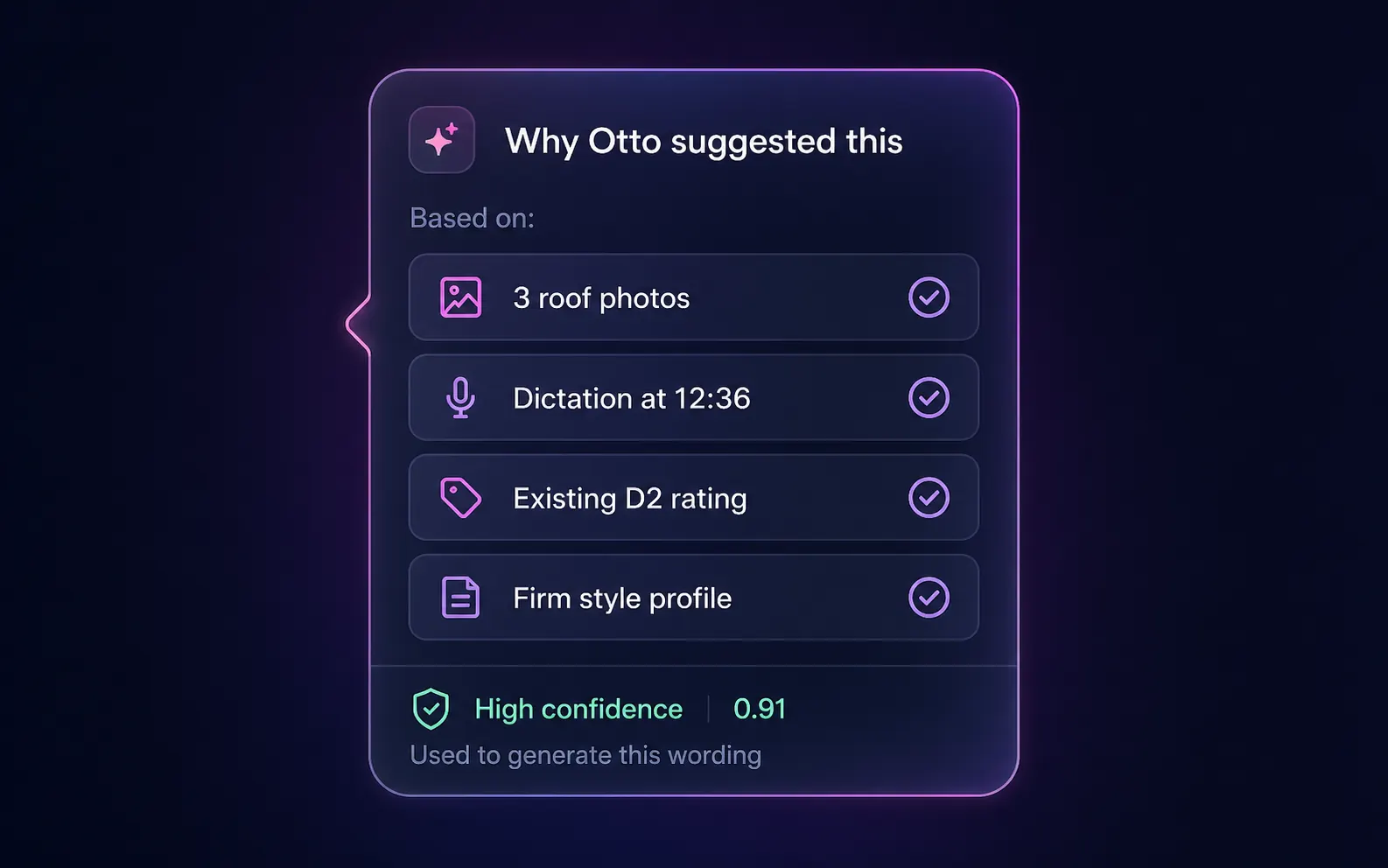
You're the surveyor of record on every report. Otto shows the receipts: which photos, which dictation, which firm rules went into every wording it proposes.
Confidence trail per field
Every routed field shows what the AI used to make the call — the source photos, dictation timestamp, existing rating, firm style profile — and a 0–1 confidence score. Click into the trail to replay the audio at the moment the observation was dictated.
Your words, RICS-shaped
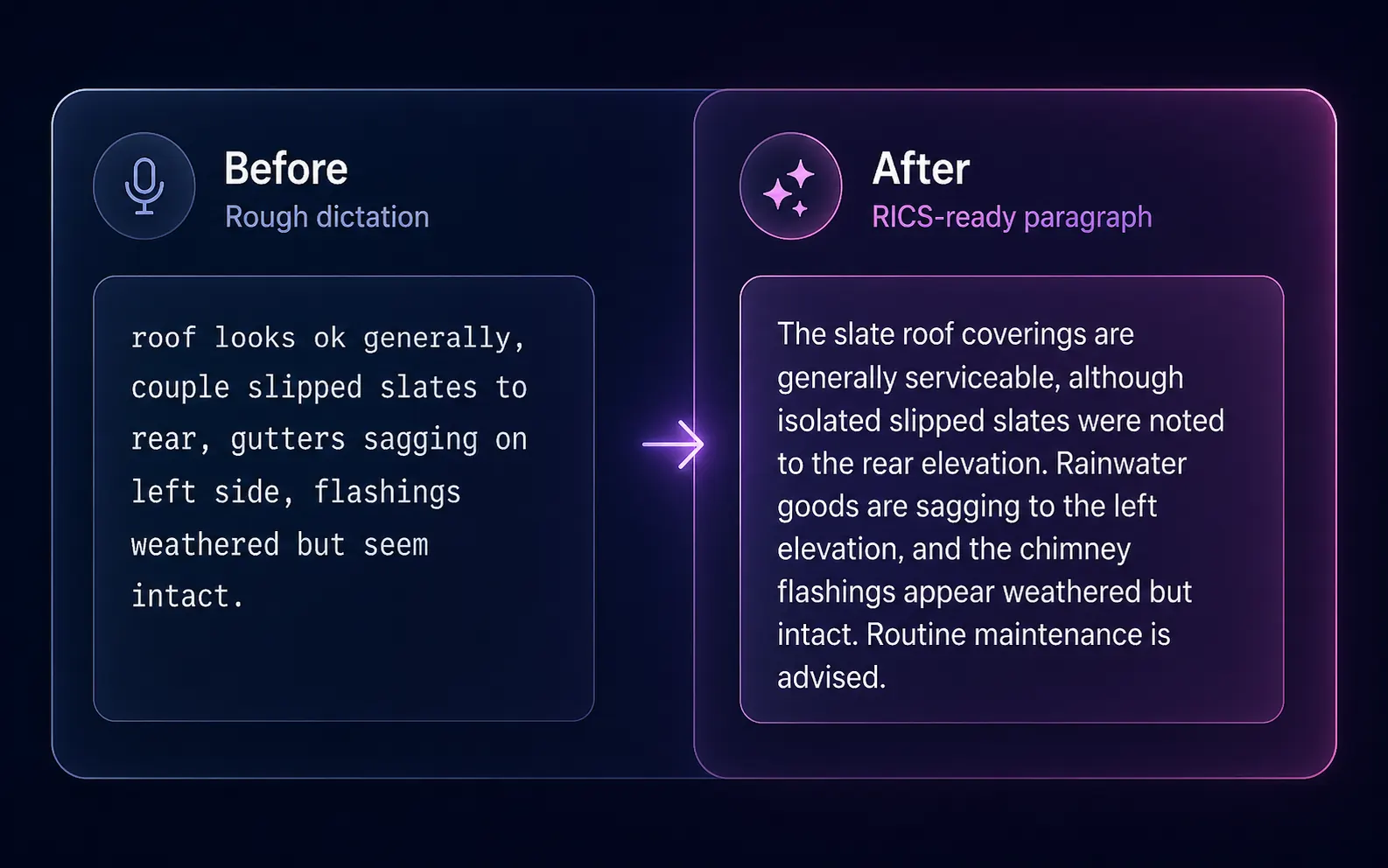
Otto only routes content you dictated, typed or photographed. It does not invent observations. The AI handles structure, classification and synthesis — turning your shorthand into RICS-ready narrative — while you remain the surveyor of record on every output.
What makes Otto different
Ten things you won't find in a generic report template.
Careful AI deliberation
Our AI engine deliberates over genuinely ambiguous routing decisions ("does this electrical note belong in F1 Consumer Unit or F4 Heating?"). Higher-accuracy field assignments than keyword matching.
Smart caching
RICS standards, your firm's learned style profile and your standard phrases are cached so the AI doesn't re-read them on every call. The system warms its own cache on consecutive runs so the second report you generate today is faster and cheaper than the first.
Real-time progress labels
"Reviewing roof structure", "Reviewing electrical systems", "Reviewing dampness and timber" stream from the AI's work to show semantic progress, not a percentage bar.
Style profile injection
Trained on 5–10 of your firm's past reports, a 25-dimension writing fingerprint (structure, tone, vocabulary, patterns, formatting) is injected on every Otto run.
Defect-prioritised image selection
A multi-phase scoring algorithm guarantees no section is empty, gives elements rated 3 (Serious Defects) at least two photos, and respects your custom 25–50 image target.
Per-field confidence scoring
Every routed field has a confidence score (0–1) surfaced in an accuracy sidebar, so you focus review on the low-confidence ~10% rather than re-reading every sentence.
Drag-and-drop image reassignment
Move photos between sections visually, mark front elevation, bulk reassign with section dropdowns. The photo AI suggestion is always overridable by you.
Automatic AI fallback
If the AI is unavailable, Otto switches to a secondary AI engine for routing. No blocked reports while a provider has a wobble.
Undo/redo with AI button injection
Full transactional undo/redo across the editor, including smart re-injection of "Rewrite with AI" and "Standards check" buttons after restores.
Surveyor-of-record discipline
Otto only routes content you dictated, typed or photographed. It does not invent observations. You sign the report; you can edit any sentence.
The time saving
Where the minutes come from.
Numbers below are based on actual Otto pipeline steps. Otto doesn't replace surveying judgement — it replaces typing, copying, formatting and cross-referencing.
| Pipeline step | Otto | Manual |
|---|---|---|
| Audio → transcript | Speech recognition · ~30 sec | Type from notes · 20–30 min |
| Sentence routing to RICS fields | ~2 min | 15–25 min copy/paste |
| 200 photos categorised | 2–3 min | 30–40 min |
| Best-35 image selection | ~30 sec | 10–15 min curation |
| Section B Overall Opinion | ~1 min | 15–20 min |
| Section C About the Property | ~1 min | 10–15 min |
| Section H legal-adviser notes (L3) | ~1 min | 20–30 min |
| Branded PDF export | One click | 5–10 min formatting |
| Total Level 2 turnaround | 5–15 min | 2–3 hours |
The stack
What's under the hood
FAQ
Common questions about Otto
How long does Otto take to produce a Level 2 report?
A typical Level 2 auto-mode flow completes from audio upload to editable web report in 5–15 minutes, depending on transcript length and image count. Compared with 2–3 hours for a manual report, that's an 80–90% reduction in non-judgement time.
What AI does Otto use?
Our frontier AI engine handles sentence-level routing with careful deliberation, with an automatic AI fallback to a secondary engine if the primary is unavailable. Speech recognition handles audio transcription. A vision AI handles photo categorisation. All operate behind smart caching to keep latency and cost low.
Will Otto invent findings I didn't dictate?
No. Otto only routes and synthesises content you have dictated, typed or photographed. It does not invent observations. Every routed field has a 0–1 confidence score and is fully editable. You remain the surveyor of record on every output.
Can Otto write Level 3 Building Surveys?
Yes. Otto supports both RICS Home Survey Level 2 and Level 3. For Level 3 it additionally auto-populates Section H (Legal-Adviser Issues) from the D-G condition findings and supports custom rating scales beyond the standard 1/2/3.
What if Otto misroutes something?
You can drag any sentence to a different field, edit it inline, or delete it. The accuracy sidebar shows confidence per field so you focus review on the ~10% with lowest confidence. You can also re-dictate a single field — a new dictation session replaces the old routing for that field only.
What happens if the AI is unavailable?
If the AI is unavailable, an automatic AI fallback switches Otto to a secondary engine for routing. Auto-mode continues without blocking. Quality is comparable; the careful deliberation step is unavailable on the fallback path.
Does Otto support custom rating scales?
Yes. If your firm uses a 5-point rating scale instead of the RICS 1/2/3, define it in your firm settings. Otto snapshots your scale per report at the moment of creation, so the routing remains consistent even if you change the scale later.
Is Otto included with my listing?
Yes — Otto is included with every RICS-regulated firm's verified Home.co.uk listing. There is no Otto-specific subscription and no pay-per-lead. Otto runs are metered on a pay-as-you-go basis, so you only pay when you actually generate a report. Direct bookings carry a small transaction fee, paid only when a consumer pays you.
More tools
Explore the rest of the surveyor toolkit
Level 2 Report Writer
RICS Home Survey Level 2
Field-by-field RICS Level 2 reports with inline AI suggestions, image gallery, comparables and one-click branded PDF.
Level 3 Report Writer
RICS Building Survey Level 3
Comprehensive Level 3 Building Survey reports with deep technical sections, custom rating scales and AI legal-adviser notes.
Surveyor Comparable Tool
Sold + rental comps in one click
Auto-fetch sold and rental comparables within a 1-mile radius, weighted valuation range, branded PDF appendix for any survey.
Snagging Report Builder
New-build defect tracker
Build professional new-build snagging lists with location-based defect tracking, photos, urgency, status and PDF export.
AI Dictation
Voice-to-fields routing
Speak observations on-site; AI routes every sentence to the correct RICS field with confidence scores and replayable audio.
Image AI
Auto-categorise survey photos
Upload up to 200 photos; vision AI tags each to the right RICS element, rates condition, extracts defects and picks the best 35 for the report.
Style Profile
Your firm's writing fingerprint
Teach the AI to write like your firm — upload past reports, the AI extracts a 25-dimension writing fingerprint and applies it to every future auto-mode report.
Property Viewer
Pre-survey property intelligence
Look up any UK property and instantly see EPC, energy renovation costs, broadband coverage, environmental risks (flood, radon, mining, landfill), invasive plants, sales history and listing status — all in one dashboard.
Property Data Drawer
EPC + risks + comps in one panel
Open the property data drawer in any report to see EPC, environmental risks, listing history and comparables — copy-paste ready.
Standard Phrases
Reusable language library
Personal, firm-wide and industry-preset phrase libraries — insert with one click and use to train AI routing for voice consistency.
RICS Standards Check
Home Survey Standard compliance pass
One-click AI compliance pass against the RICS Home Survey Standard — flags missing content, weak ratings and structural gaps before you sign the report.
Free directory listing. Pay-as-you-go toolkit.
Every RICS-regulated surveying firm gets a verified profile, direct bookings from home.co.uk consumers and the surveyor toolkit included with the account. No subscription. No pay-per-lead. No commission on the job. Pay only when you use the premium AI tools.
2 minute setup · Verified against the RICS register · Trusted UK property platform since 1995